AkinKids™
The child’s everyday learning & routine system
Less screen time. More real-world learning.
Short, guided lessons that teach children what to do — not just what to watch. Every one ends by sending them off the screen to try it for real.
For children roughly 4–9. Thirty-one lessons, all free.
Watch how it works
The screen is the tool. The room is the point.
Four steps, about five minutes, and it always ends the same way — with the tablet down and the child doing the thing they just learned.
A grown-up picks one.
Go and ask for water.
Say it out loud.
That was good asking.
Now for the part that counts.
Put the tablet down.
Done for today.
And then they go and do it.
Which is the only part that was ever the point.
What parents are actually after
Nobody wants an app. They want an easier Tuesday.
These are the things parents say they want, and the lesson that covers each one.
The system
Four apps. One idea.
AkinKids is a child's everyday learning and routine system — teach a skill, show what's next, make the routine easier, practise the words. Each app does one job and then stops.
AkinKids Lessons Open it
Learn it in five minutes
Thirty-one narrated lessons and stories — counting, listening, table manners, bedtime, crossing the road, checking before you accept a present, screen habits. Filter by age, skill or length. Two a day, then it closes.
My Day Coming to AkinKids
Know what's happening next
A picture schedule with a First/Then board and a timer, so a child can see the day instead of asking about it.
Day Control Coming to AkinKids
Make routines easier
Getting ready, screen rules, mealtimes and calming down — with points earned for following directions and finishing what was started.
Listen & Find My Words Coming to AkinKids
Practise communication
Spoken-prompt decks across several topics, with a Calm Room to step into when a child needs a break rather than another question.
Why parents choose AkinKids
Eight things that are true of every app here
Actual screens
This is the real thing, not a mock-up
Every picture below is a screenshot of the app you can open right now, taken straight from it.
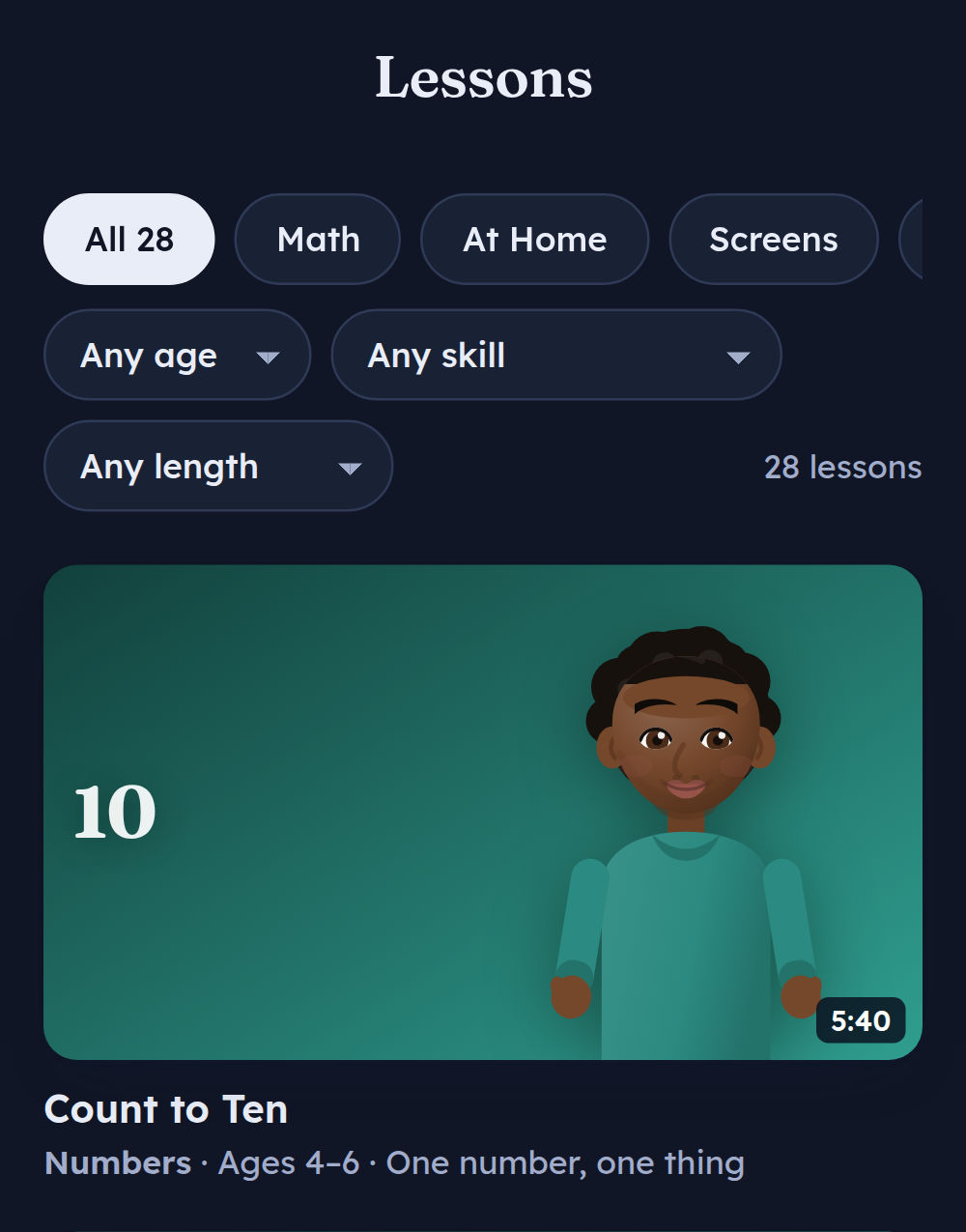 01Pick a lessonFilter by age, skill or length. Real durations on every card.
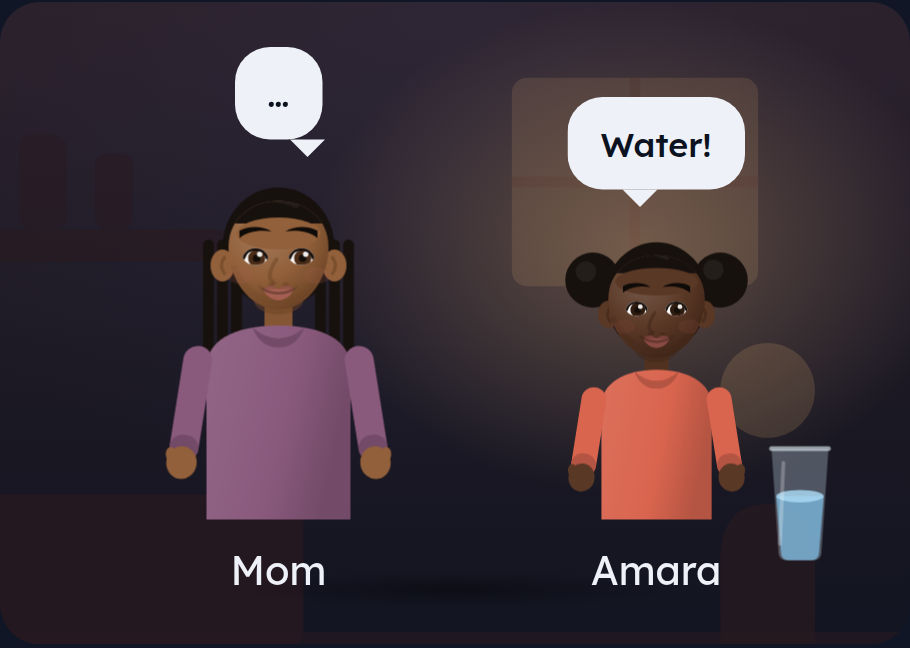 02Watch it happenCharacters act it out, each in their own voice.
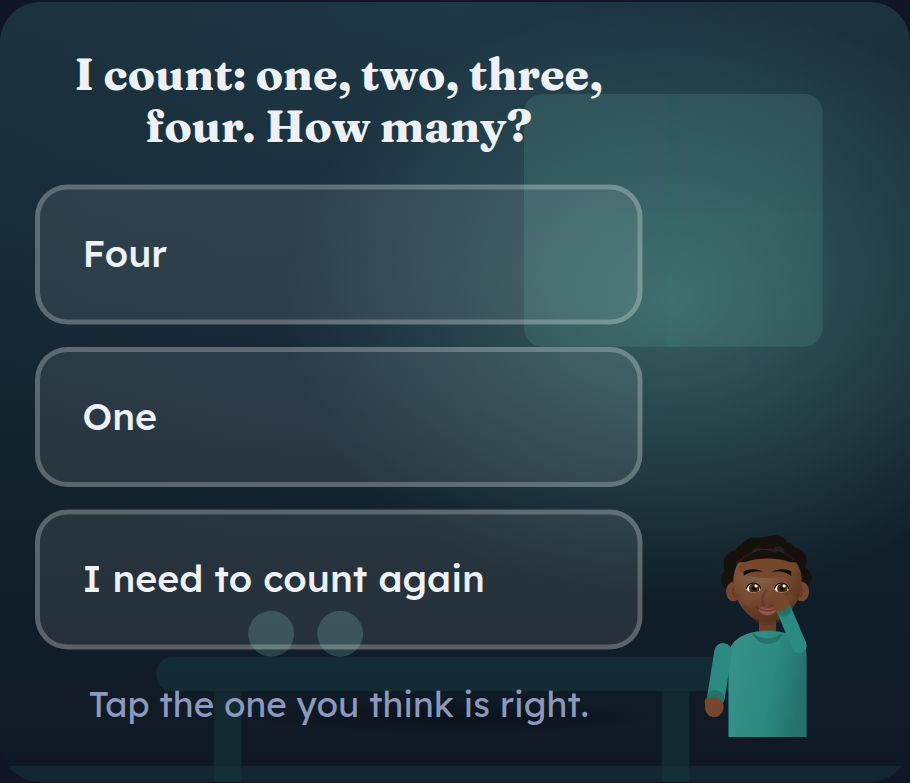 03Answer a questionGet it wrong and it explains why, then lets you try again.
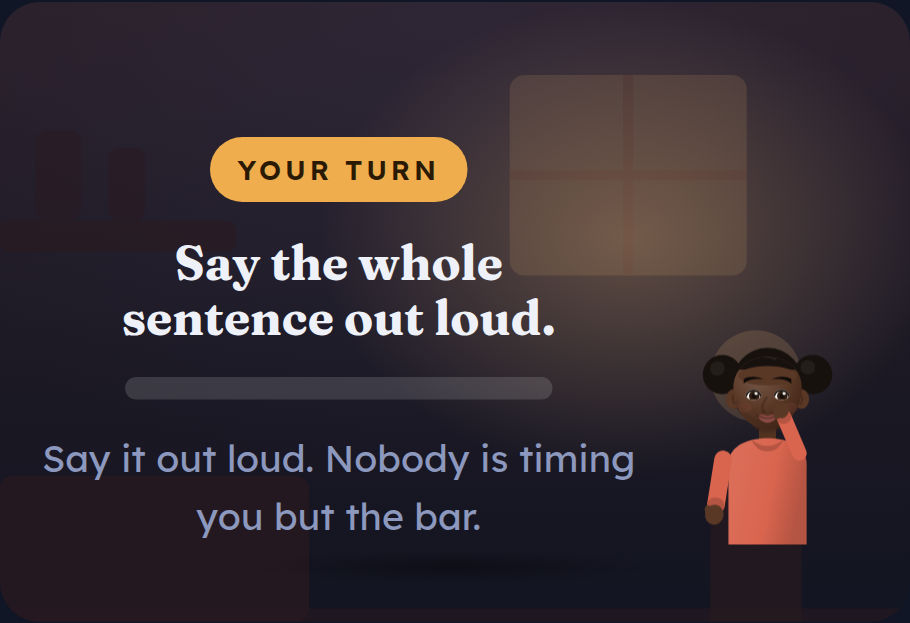 04Take your turnIt stops talking and waits while the child answers out loud.
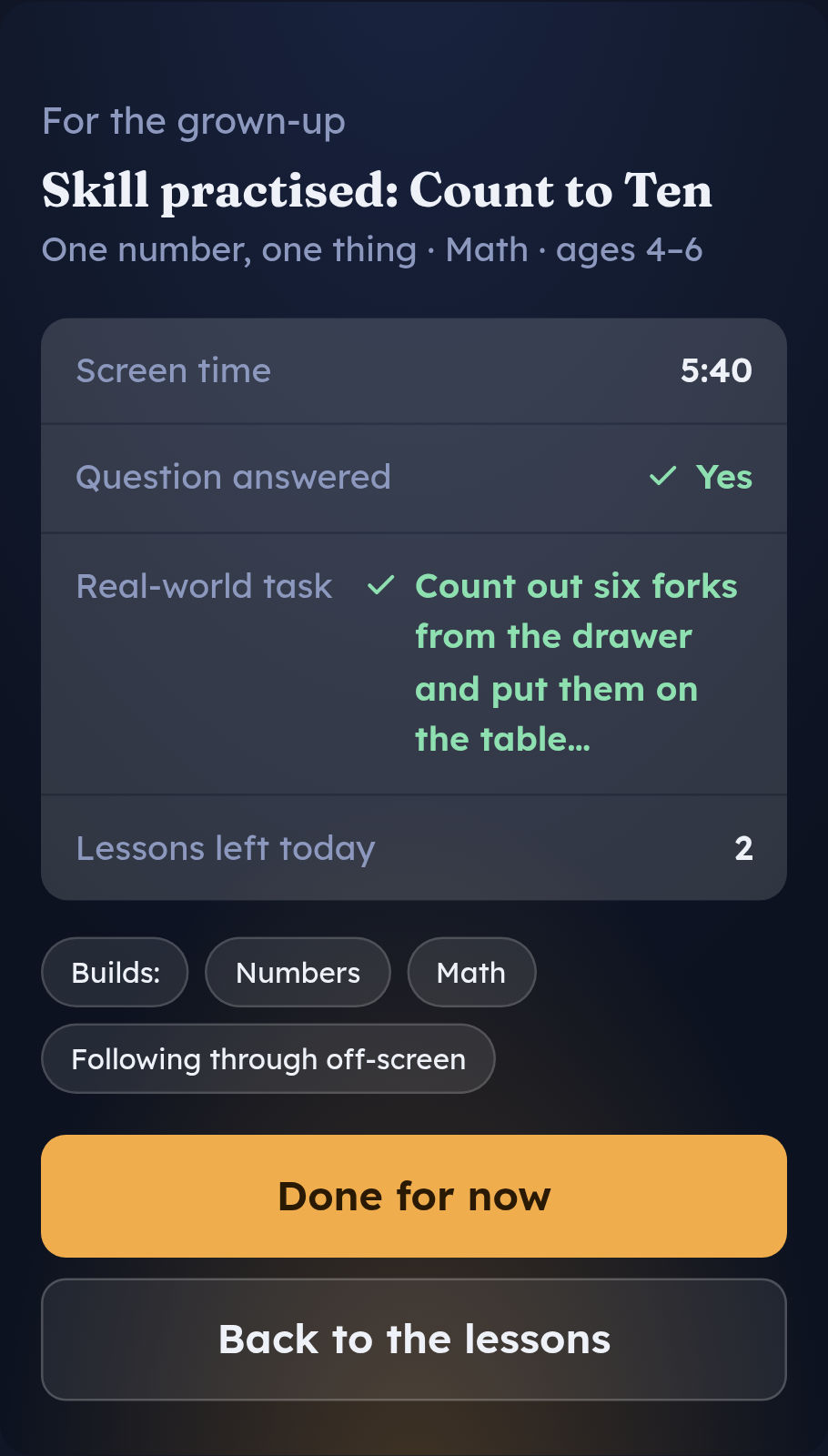 05See what it was forEvery lesson ends on a card for you — the skill, the minutes, and the task to follow up on.
Why this section exists. Plenty of children’s apps show screens on their homepage that the product does not have. Everything here is a screenshot of the live app, retaken after the last change, and the three apps still to come are marked as such rather than illustrated.
Questions
The things parents ask first
What is AkinKids?
A small set of web apps for young children that teach one everyday skill at a time — counting, listening, table manners, crossing the road, bedtime — and then end by sending the child off the screen to actually do it.
What ages is it for?
Roughly four to nine. Every lesson carries its own age band, and the library filters by age, skill or length.
How long is a lesson?
Most run between about four and six minutes — the shortest is two, the longest just over six. The real duration is printed on every lesson card — measured, not rounded — and you can filter the library by length.
Do I need an account?
No. There is nothing to sign up for. Open the link and it works.
Are there adverts?
None. Nothing in here is selling your child anything.
What happens to my child's data?
Nothing leaves the device. Progress and the daily limit live in the browser on that one iPad. There is no server collecting anything — which also means clearing your browser data resets it. The lessons app makes no outside requests at all: no analytics, no fonts from somebody else’s server, nothing.
This page is different, and you should know it. It is written for grown-ups, not children, and it counts visits using Cloudflare Web Analytics so we can tell whether anyone is finding this at all. It sets no cookies, does not follow you anywhere, and does not run inside the app your child uses.
Does it work without internet?
Yes, once it has loaded once. Open it in Safari, tap Share, then Add to Home Screen — it gets its own icon and runs with the wifi off.
How does it actually reduce screen time?
Three ways. Every lesson has an ending, so nothing autoplays next. Every one finishes with a task in the real room and the instruction to put the device down. And the app closes for the day after a set number of lessons — two, out of the box.
Can I change the daily limit?
Yes, from one lesson a day up to no limit, under “For grown-ups” at the bottom of the app. The limit is the whole point, so set it low and leave it.
Can it speak in a British accent, or another language?
American and British English both work — choose the accent and the two voices under “For grown-ups”, and every character speaks in the one that matches them. Spanish, French, Mandarin and Hindi are there too, with one lesson fully translated into each so you can hear the quality before more follow. A language only ever shows the lessons genuinely written in it, because a Mandarin voice reading English text is nonsense.
Does the app ask the child anything?
Yes. Several lessons stop mid-way with a question, and a wrong answer gets a real explanation rather than “try again”. Every lesson also pauses at least once and waits while the child answers out loud, to the room.
What does it cost?
Nothing. Every lesson is free.
Who made it?
AkinVault Foundry LLC, a Pennsylvania company.
About AkinKids
We think screen time should lead somewhere.
Most apps built for children are designed to hold attention for as long as possible. That is not an accident and it is not a secret — it is the business model. It is also why stopping one is genuinely hard, for children and for the adults standing next to them.
AkinKids is built the other way round. Every app here does one job, tells the child what to do, and then stops on purpose. The screen is a short bridge to something real: counting the forks, asking out loud for a glass of water, saying the crossing steps back to a grown-up, standing next to a kid who is on their own.
It is made by someone who does this work during the day — assistive technology and behavioural support — and who got tired of choosing between something that taught nothing and something that would not end.
Teach it. Practise it. Live it.
Teach it. Practise it. Live it.
Start with one lesson. It takes five minutes and it ends with your child doing something in the room you're standing in.